Your launch, already in motion.


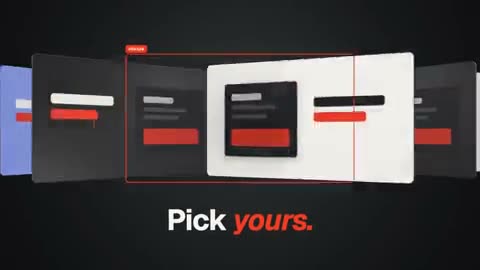
Pick a template. Put in your words, your screenshots and your colours, then export the film. Or ask your AI assistant to make it.
Free, with an account: you create it with Google, or an e-mail address and a password. Your films stay in this browser, and a copy of 3 of them is kept on your account. The film comes out in 1080p, in 16:9 or vertical, with “Made with Cutscene” at the end.
The editor is driven from a computer.
A whole studio, in one editor.


An AI inside the editor.
Beside your film, an AI assistant: write what you want to change, in your own words, and it does it or offers you a choice. Everything the editor does can be asked in words too.
- make me a teaser
- switch to 9:16
- make the film 20 seconds
- the night style
- grain over the whole film
- add a pricing scene at the end
- duplicate scene 2
- move scene 2 to the end
- scene 3 lasts 3 seconds
- a gradient background on scene 2
- a slow push-in on scene 2
- hide the logo of the last scene
- make the title twice as big
- rotate the title by 10 degrees
- make the title red
- make the title bold
- a bounce animation on the title
- the title comes in 1 second later
- a dissolve between scenes 1 and 2
- a calmer music
- turn the music down
- make the music kick in on scene 4
- add a keyboard sound on scene 3
- my product is called Factur
- no music
- remove scene 3
- the film is called March launch
- replace scene 3 with a testimonial
Or from Claude or ChatGPT.
Connect the assistant you already use (Claude, ChatGPT, Le Chat…): it makes the film with the same pieces as you, and checks it. You finish it in the editor.
- Make a 20-second launch film for my app
- Show me three templates
- Write the lines from what I told you
- Put it in my brand's colours
- Make a vertical version
- Change the style to something darker
- Find a softer transition between 2 and 3
- Use a more energetic track
- Add a click when the button appears
- Cut it down to 15 seconds
- Make me a scene with a counter going up
- Check nothing is left to write
- Show me the film here
- Open it in the editor
https://app.cutscene.studio/mcpWhat it reads goes to its provider only with your consent, given on a box of its own.
Pick a template. Put in your words, your screenshots and your colours, then export the film. Or ask your AI assistant to make it.
Free, with an account: you create it with Google, or an e-mail address and a password. Your films stay in this browser, and a copy of 3 of them is kept on your account. The film comes out in 1080p, in 16:9 or vertical, with “Made with Cutscene” at the end.
The editor is driven from a computer.
A whole studio, in one editor.
Templates, scenes, transitions, 3-D, styles, music, sounds and voice-over: it is all made already, and it all takes your words, your pictures and your colours.
- Templates
Films already cut, scene by scene: pick one, put in your words and your screenshots, it is ready.
- Scenes
Ready-made scenes, each one moment of your film: a route on a map, a translation, a date, a phone, a list. Add them or swap them, and each takes your words and your screenshots.
- Transitions
Zooms, cubes, morphs: one scene becomes the next instead of cutting to it.
- Effects
Duotone, crayon, pixels: an effect on one scene or on the whole film.
- 3-D
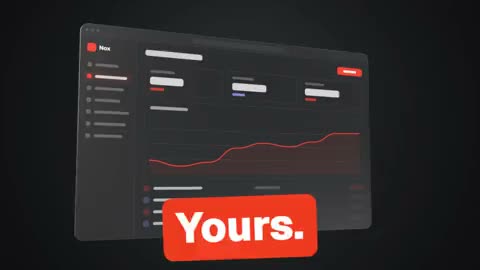
Phones, laptops, cards: real 3-D objects that carry your screenshots.
- Styles
One click changes the look of the whole film. Your colour stays yours.
- Sound
Music and sounds are already in place, in time with the film, and a voice-over is made with your own ElevenLabs account.
An AI inside the editor.
Beside your film, an AI assistant: write what you want to change, in your own words, and it does it or offers you a choice. Everything the editor does can be asked in words too.
- « make me a teaser »
- « switch to 9:16 »
- « make the film 20 seconds »
- « the night style »
- « grain over the whole film »
- « add a pricing scene at the end »
Or from Claude or ChatGPT.
Connect the assistant you already use (Claude, ChatGPT, Le Chat…): it makes the film with the same pieces as you, and checks it. You finish it in the editor.
- « Make a 20-second launch film for my app »
- « Show me three templates »
- « Write the lines from what I told you »
- « Put it in my brand's colours »
- « Make a vertical version »
- « Change the style to something darker »
https://app.cutscene.studio/mcpWhat it reads goes to its provider only with your consent, given on a box of its own.
Billions of possible films.
559 pieces already in motion: scenes, transitions, effects, 3-D objects, music and sounds, to combine with your words and your colours.


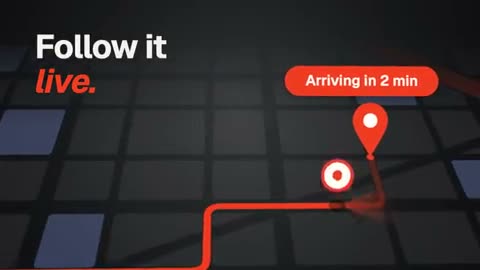








Billions of possible films.
559 pieces already in motion: scenes, transitions, effects, 3-D objects, music and sounds, to combine with your words and your colours.
Drop it in your film.
It wears your brand.
See the whole libraryOne film, every format.
The same film recomposed for each network: nothing is cropped.


And the export you need.
1080p, up to 4K with Pro
Texts stay editable
Finish with your other footage
TikTok, Instagram, YouTube, LinkedIn, X, After Effects, DaVinci Resolve and ElevenLabs are trademarks of their owners. Cutscene is not affiliated with any of them.