
 Preparing…
Try a style
The scenes of this template
In the editor, each one can be changed, swapped or removed.
- Scene 1 · 1.6 s
 The phone stands upTwo words land large, as a double image, and go on shrinking. A phone comes up from under the camera, huge and almost flat: it tilts up, recedes and stands in front of them, your screenshot on its screen. Then your icons burst out from behind it and float around it, in time with the music. At the end the picture may drain to grey, right before bad news.
- Scene 2 · 2.4 s
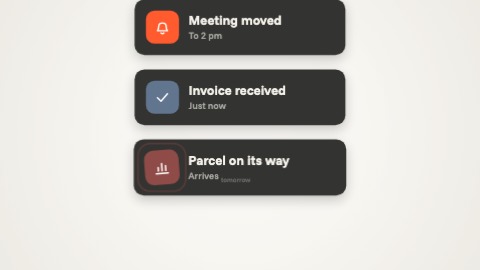 A column of notificationsNotifications pile up on the ground: each one pops from below, a little too wide, dips, takes its size and pushes the earlier ones up. Its words land right after, one by one. They arrive in time with the music, closer and closer together, and the column never stops climbing: at the end it grows and rushes out through the top of the frame.
- Scene 3 · 1.6 s
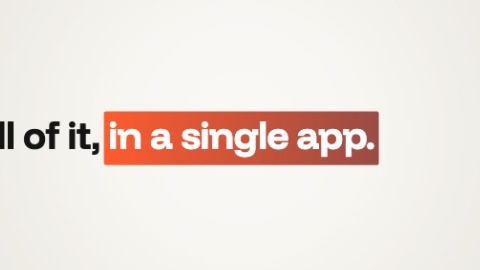 Line and zoomYour sentence writes itself word by word on a line that slides, and its emphasised words (failing any, the last one) arrive in a plate of your colours. The slide speeds up, the camera throws itself at the plate, brakes hard, then keeps creeping in, with a kick in time with the music.
- Scene 4 · 2 s
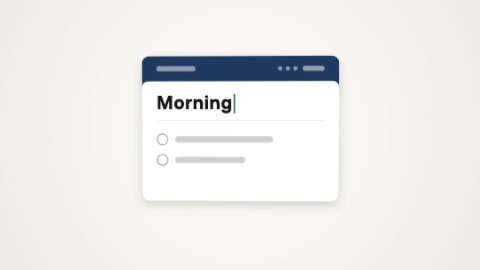 A folder opensA folder in your colour slides into place, a hand takes it, its flap opens towards you and what it holds comes out: a note, whose title types itself while it rises, or your pictures, which burst out, hang for a moment and drop into a tidy grid in a panel that stretches. The folder falls away, and only the note or the pictures are left.
- Scene 5 · 2 s
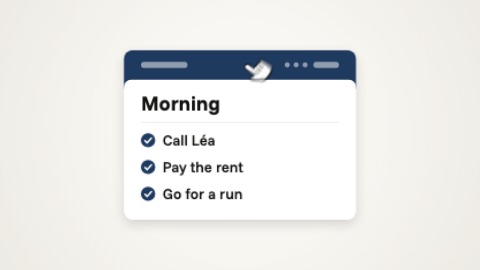 A list that writes itselfOne note alone on the ground, and its list writing itself in front of you: each row comes word by word, in time with the music, then its box ticks itself, and the card comes a little closer at each row. A hand lands on the band and drags the card down: it closes into a bar and leaves. Unlike “Checklist”, the rows are not there at the start: they get written.
- Scene 6 · 1.2 s
 A single buttonOne button alone on the ground: it forms with a spring, takes its label word by word and swells as the words land, then breathes. A hand comes up from below, turning, and presses it in time with the music: the button jumps and takes off through the top of the picture, faster and faster.
- Scene 7 · 2.4 s
 Constellation of screensYour first screenshot fills the picture, then the camera lets go of it and pulls back, faster and faster: five more screens burst in from every side, each at its own depth, and the whole set slides past the lens, the near ones much faster than the far ones. A short phrase lands in the middle (up to three, one after the other). Held longer, the camera pulls back again and more screens arrive.
- Scene 8 · 3.2 s
 Question and answerTwo sentences in the same place. The first writes itself word by word, its last word in your colour, then falls away: it shrinks towards the centre, faster and faster. The second sweeps in from the side, larger, brakes while it is written and comes towards you, with a kick in time with the music. Before a cut, the camera goes through it.
- Scene 9 · 2.4 s
 Logo like a coinYour logo comes in from the side, seen edge-on, turning on itself like a coin: it brakes, faces you and keeps gliding. The words of your tagline spring up beside it one by one, in time with the music, and push it aside: the whole ends up centred. Before a cut, everything closes in on the middle, slowly and then at once. You can start with the words, and set your logo on a disc: a real coin, with an edge in your colours.

