Open your film in After Effects or DaVinci Resolve
A project to finish your film in another program: what stays editable, what comes as pictures.
5 steps
- 01
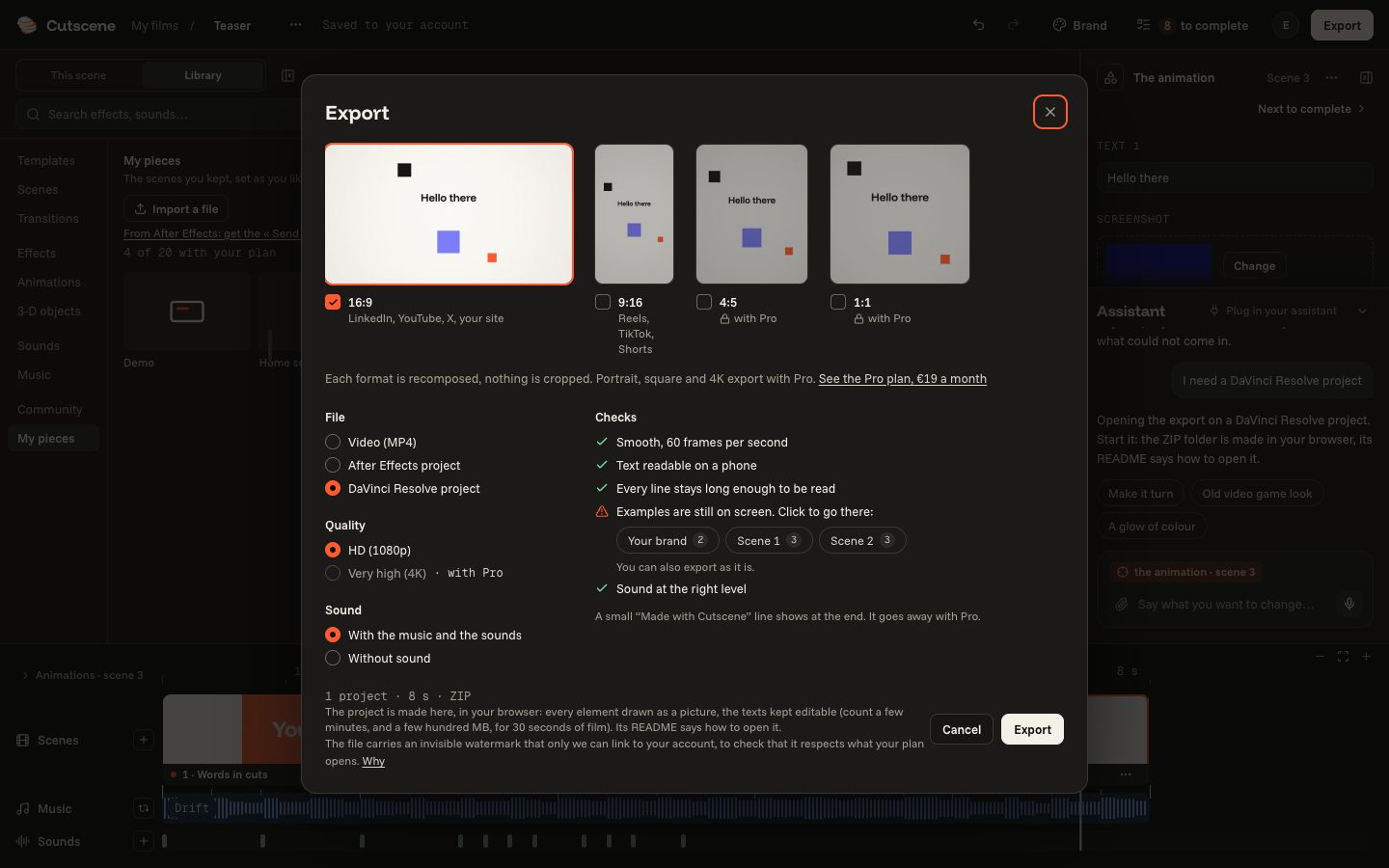
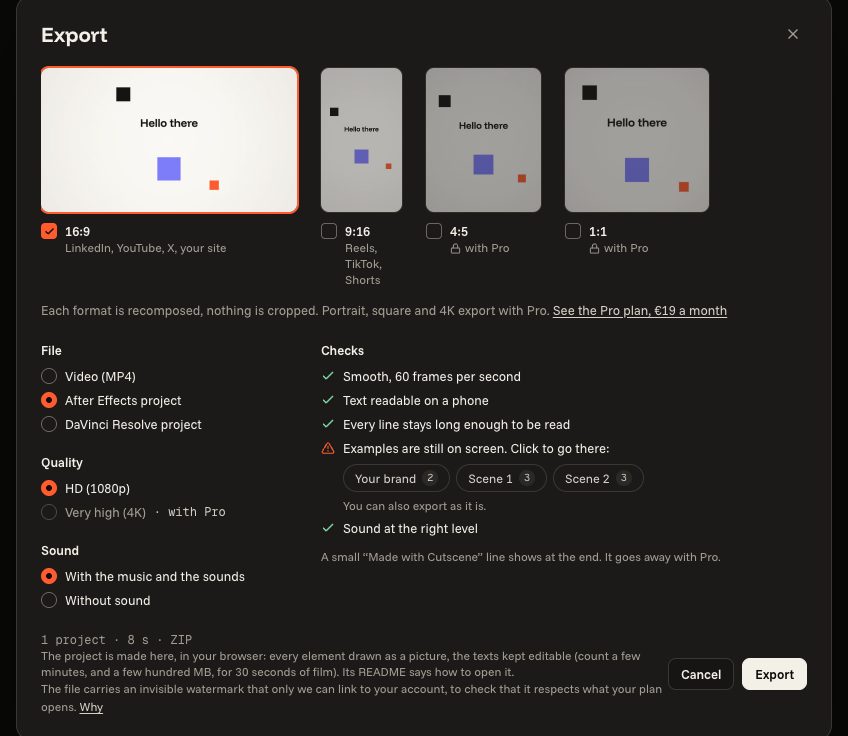
Choose a project in “Export”
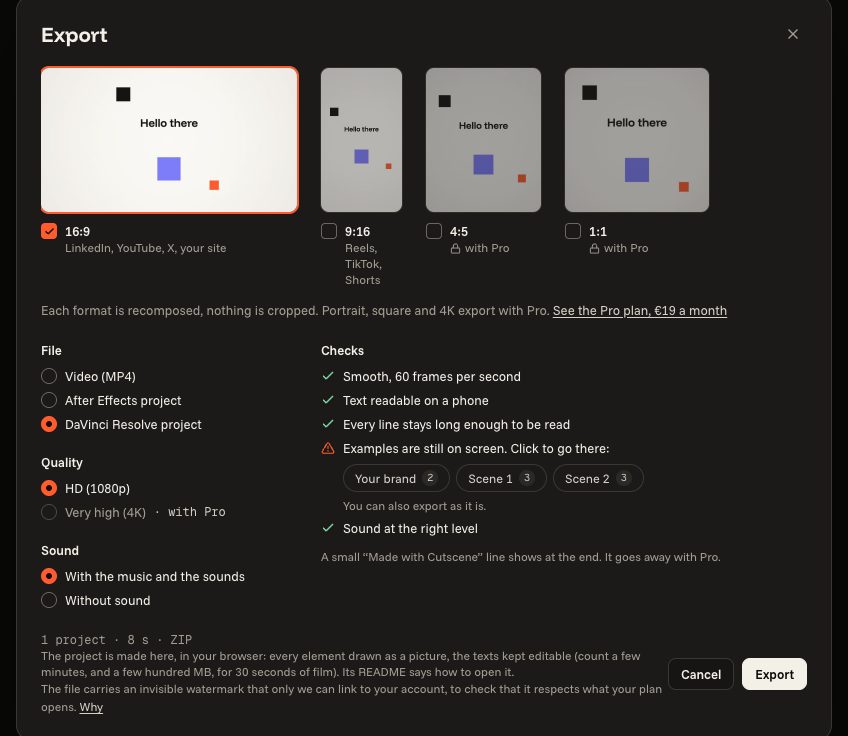
Click “Export”, then under “File” choose “After Effects project” or “DaVinci Resolve project”, and “Export”. The project is made in your browser, as a ZIP file: count a few minutes, and a few hundred MB, for 30 seconds of film. It exports like the MP4: the formats and the quality your plan opens, a paid plan for a Pro piece, and on the free plan the end line over the last two seconds.
- 02
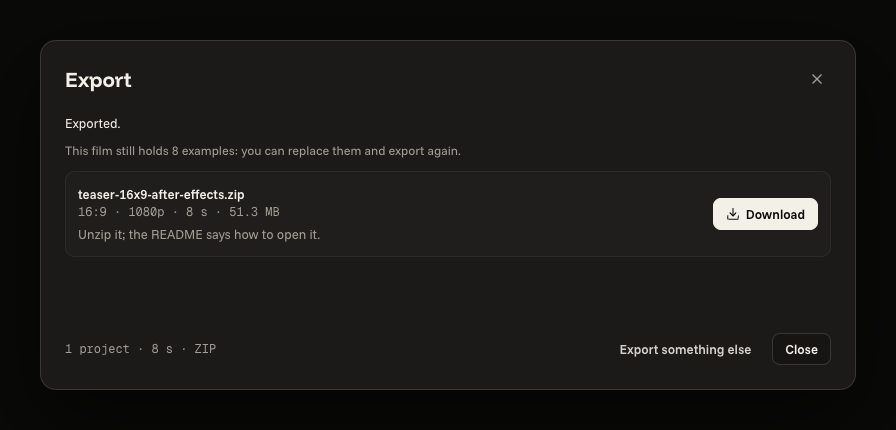
Download the ZIP
Then “Download”, and unzip it. Inside: the script or the timeline, a picture of each drawn element, the transitions rendered, the sound, your own pictures, the film as a reference, a README that says how to open it, and fonts.txt. Every font is free: install the ones fonts.txt names before you open the project, or the program puts others in their place.
- 03
In After Effects
File › Scripts › Run Script File…, then choose Build in After Effects.jsx in the unzipped folder. It builds one composition per scene and a main one that plays the film. What stays editable: every text as a live text layer, every move as keyframes with their eases, the camera, markers at every cut and in time with the music, the sound. What comes as pictures: drawings, 3-D objects, shaders, effects and the transitions; the film's style is in the reference film only.
- 04
In DaVinci Resolve
The free version is enough. File › Import › Timeline…, choose timeline.fcpxml and tick the automatic import of the source clips. Each scene is a clip, the transitions are on the track above. If clips show as offline, relink them to the unzipped folder. To change a scene's words or motion, open its clip in the Fusion page and drag the scene's .setting file, in the fusion folder, onto the node area: its texts are Text+ tools, its moves keyframes.
- 05
Ask for it, and what you need
The assistant opens the export window set for the project: you click “Export”. Your own assistant, through the connector on your computer, makes the two projects too (Developers). The program is yours to get: After Effects CS6 or later, which is paid, or DaVinci Resolve 18 or later. The project is for your own films: you may change it as much as you like, never give, sell or publish it as a template, a preset or a library (terms, article 11). After Effects is a trademark of Adobe. DaVinci Resolve and Fusion are trademarks of Blackmagic Design. Cutscene is not affiliated with either.
export it as an After Effects project
I need a DaVinci Resolve project