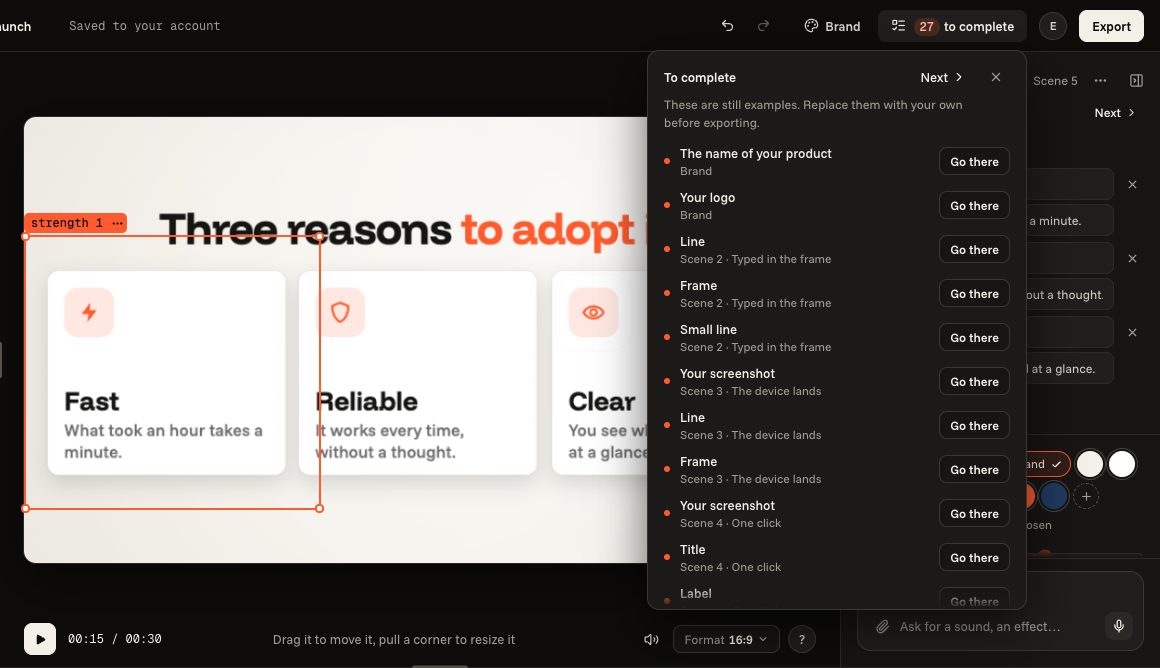
Writing your texts
Replace the examples with your words, put words in colour, fill a list.
4 steps
- 01
Click a text in the picture
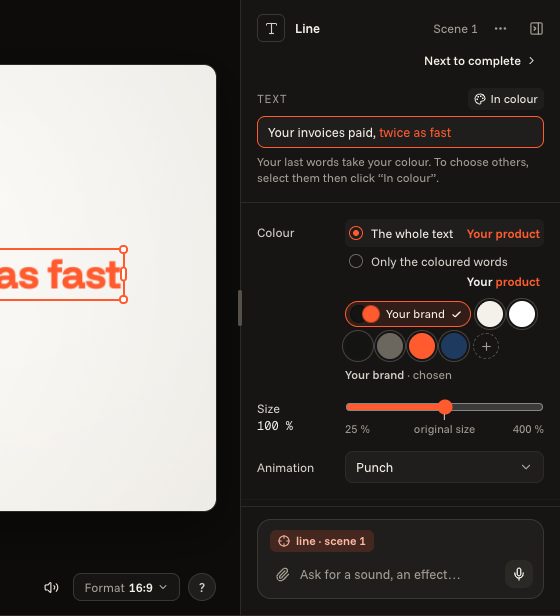
Click a text of the film and type: your words replace the example. Its field opens on the right, under “Text”, with its colour and its size; on the left, “This scene” lists everything the scene shows.

- 02
Put words in colour
The last words take your colour. To choose others, select them in the field, then click “In colour”; a second click takes it away.
- 03
Fill a list
A scene that shows a list (strengths, steps) has a field per line. “Add a line” adds one, the cross takes it away.

- 04
Go on to the last one
“To complete”, at the top, lists what is still an example, in the film's order: “Go there” takes you to it. An orange dot also marks those scenes, at the bottom, and those elements, on the left. “Next”, on the right, takes you to the next one.